INSIDE GENBUYER

Tools for every part of your trading routine.

Explore the GenBuyer workspace feature by feature. Each preview shows the application interface, with the controls and information you can use in your setup.

Explore plans 11 features · Real product previews

01 / 11 YOUR WORKSPACE

Multi-profile management

Give every setup its own space and controls.

  • Keep each managed browser profile in its own session, settings and data space.
  • Group profiles to organize different trading setups.
  • Launch, stop and review profiles individually or in bulk.
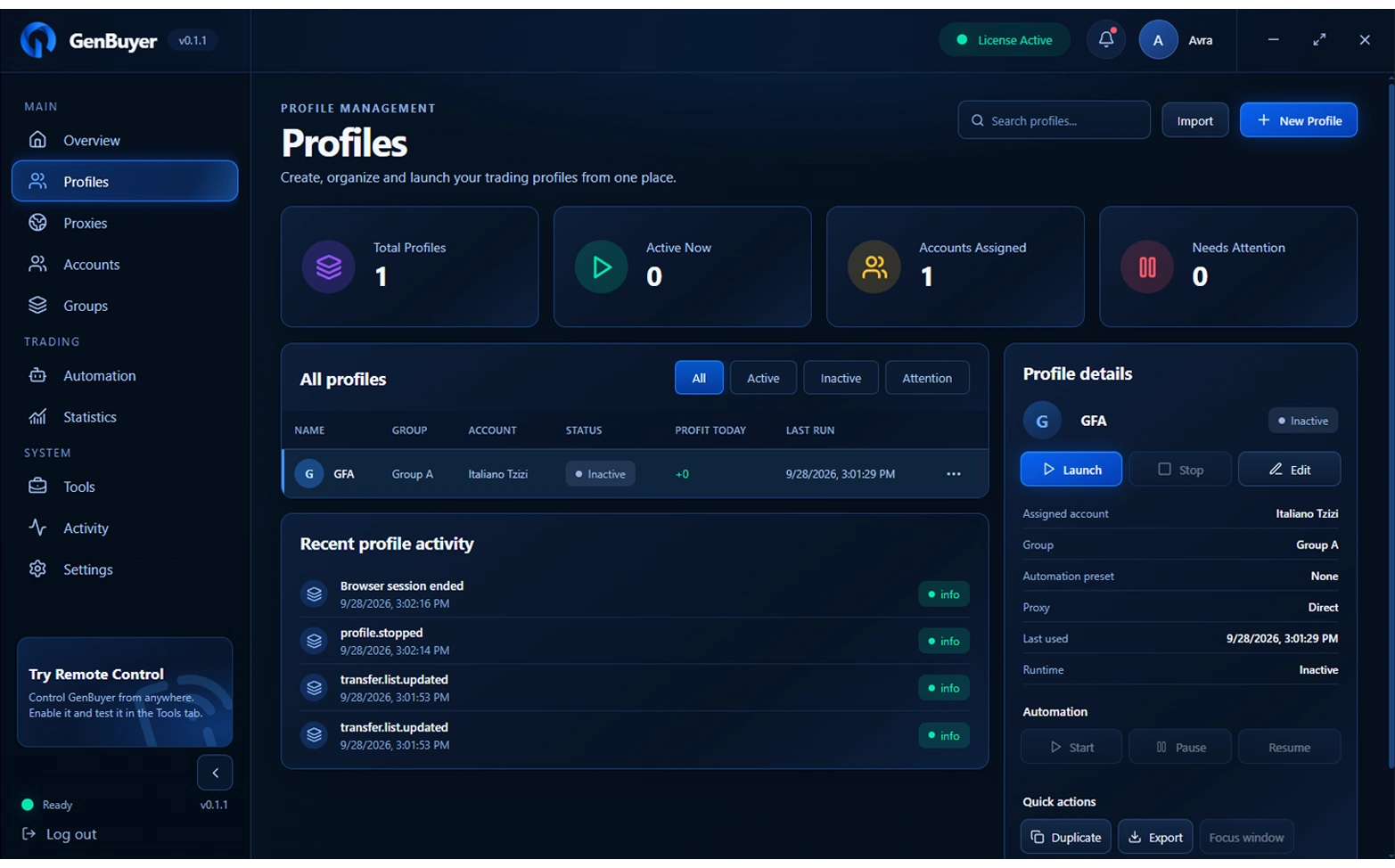
GenBuyer / ProfilesView full size ↗GenBuyer Profiles screen showing profile status and controls

02 / 11 CONNECTION SETUP

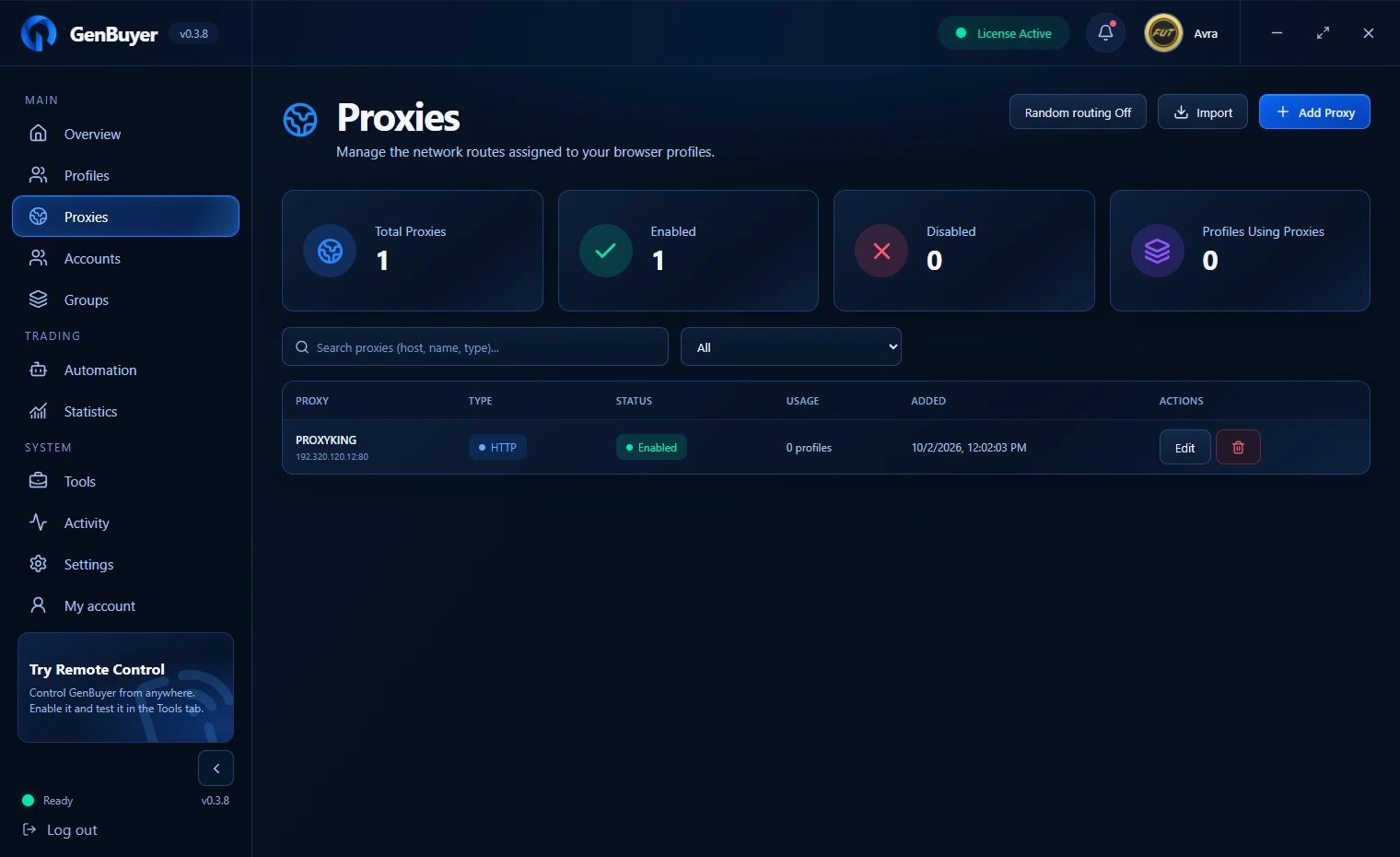
Proxy support

Manage network connections alongside the profiles that use them.

  • Add and organize supported proxies from one screen.
  • Assign connection settings to the profiles that need them.
  • Review proxy status and profile usage at a glance.
GenBuyer / ProxiesView full size ↗GenBuyer Proxies screen showing proxy status and assignments

03 / 11 AUTOMATION

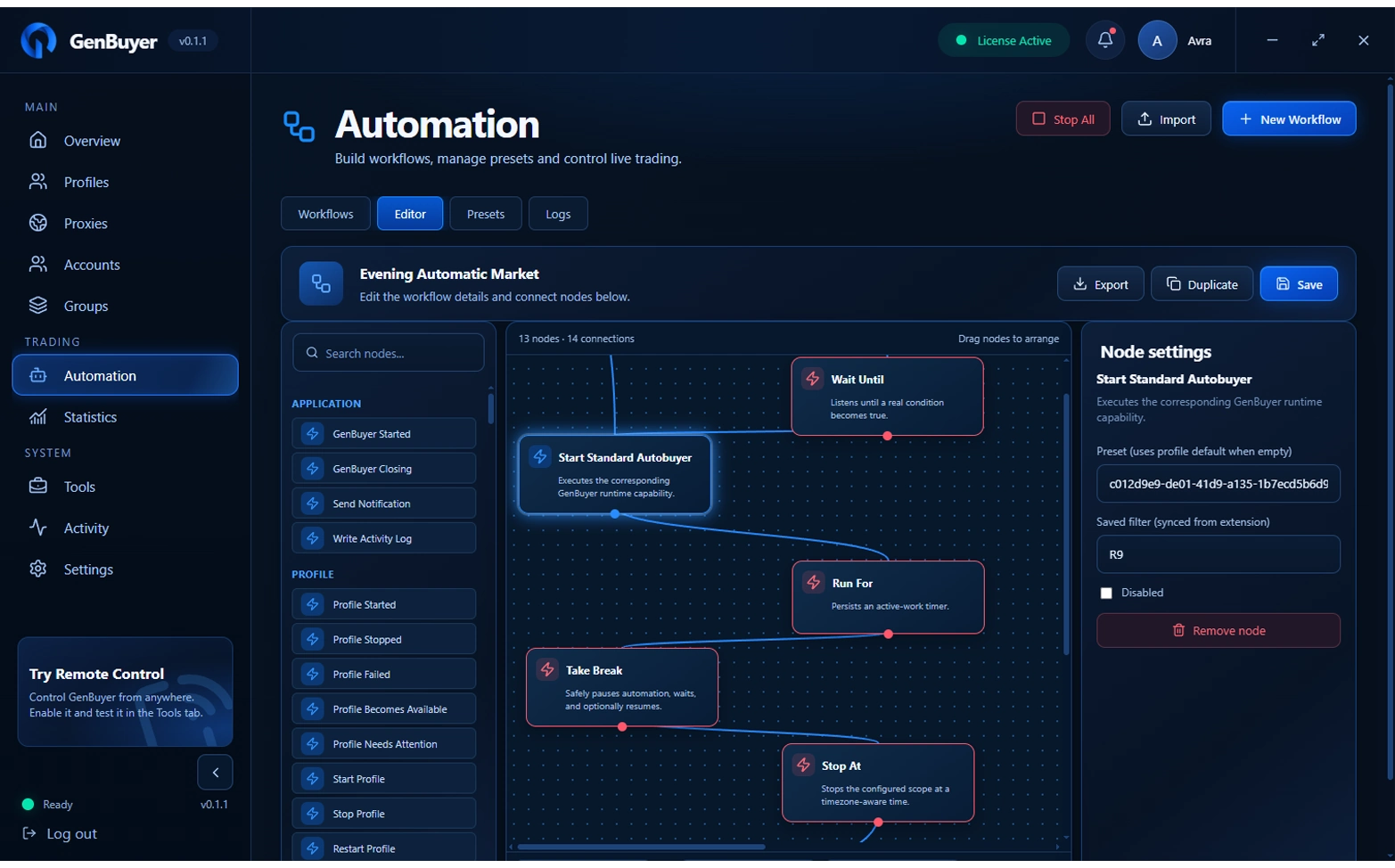
Automatic control & workflows

Build repeatable routines around your own trading rules.

  • Connect schedules, conditions and actions in a visual builder.
  • Start with templates and tailor each step to your setup.
  • Control live runs and review workflow history.
GenBuyer / AutomationView full size ↗GenBuyer visual workflow builder with connected automation steps

04 / 11 REMOTE CONTROL

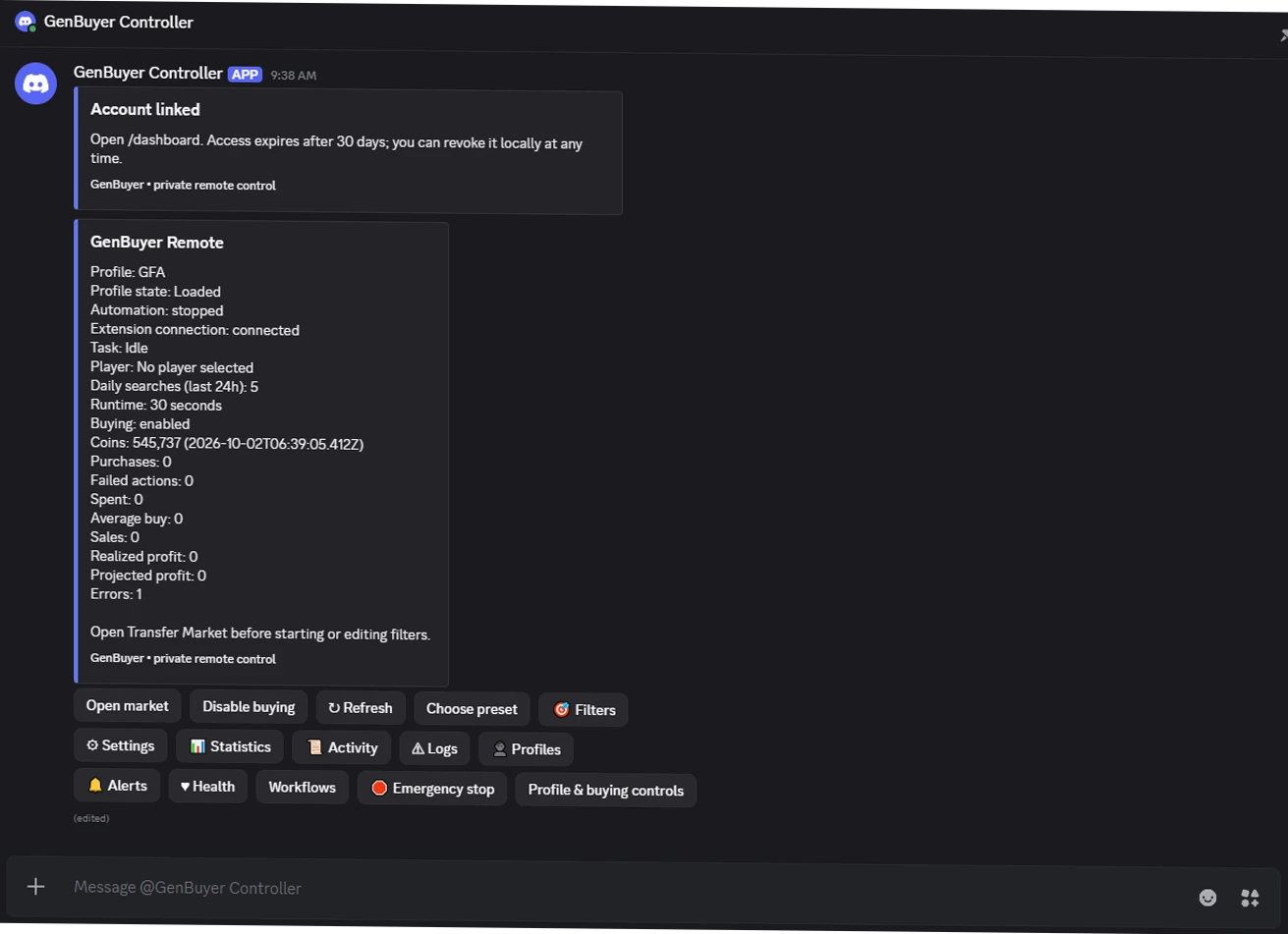
Discord & Telegram control

Stay connected to your workspace when you are away from your PC.

  • Inspect profiles and receive alerts through your connected bot.
  • Load filters and use supported remote commands.
  • Start or pause work without returning to the desktop app.
GenBuyer / Remote controlView full size ↗GenBuyer remote control and connected command interface

05 / 11 PERFORMANCE

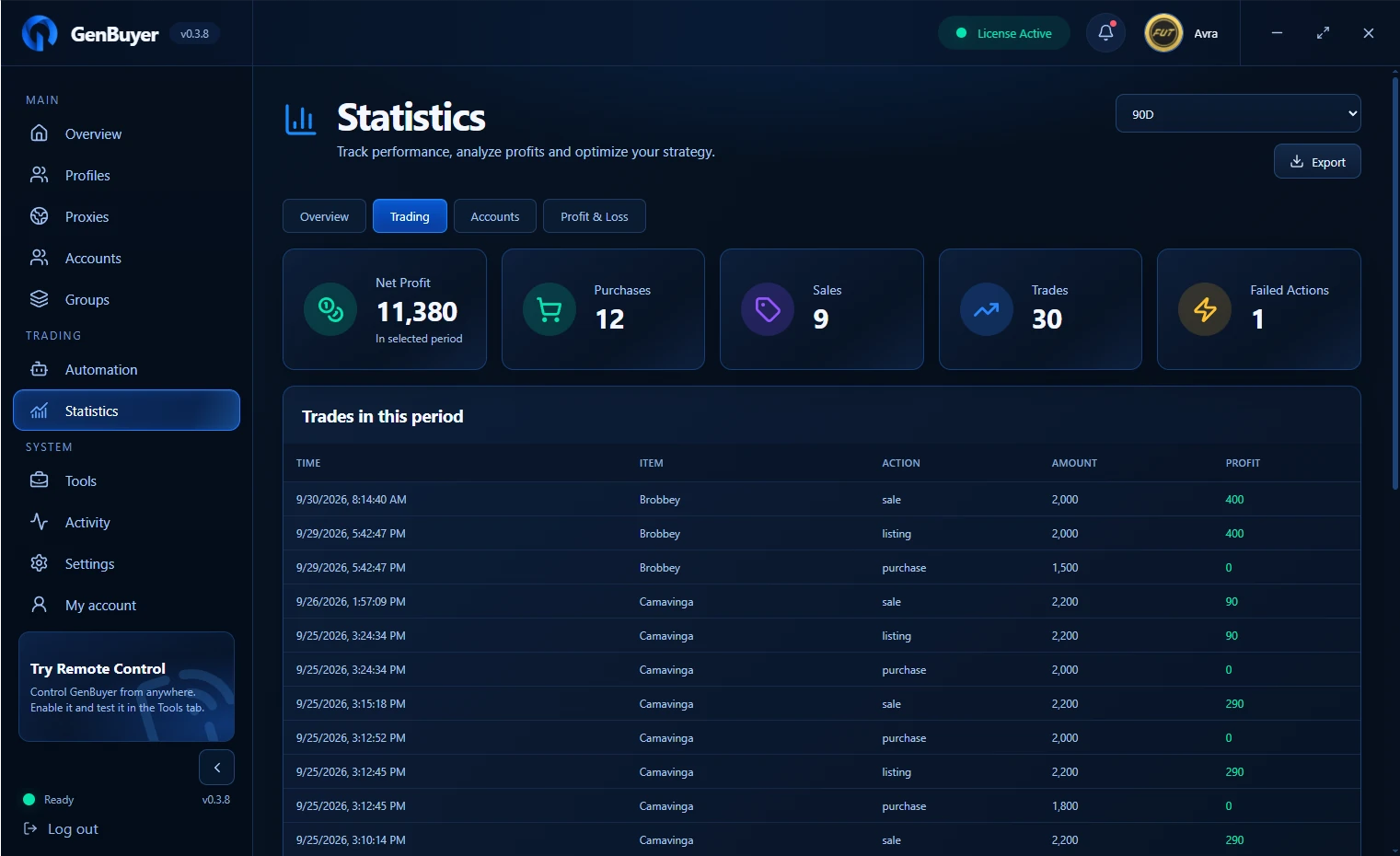
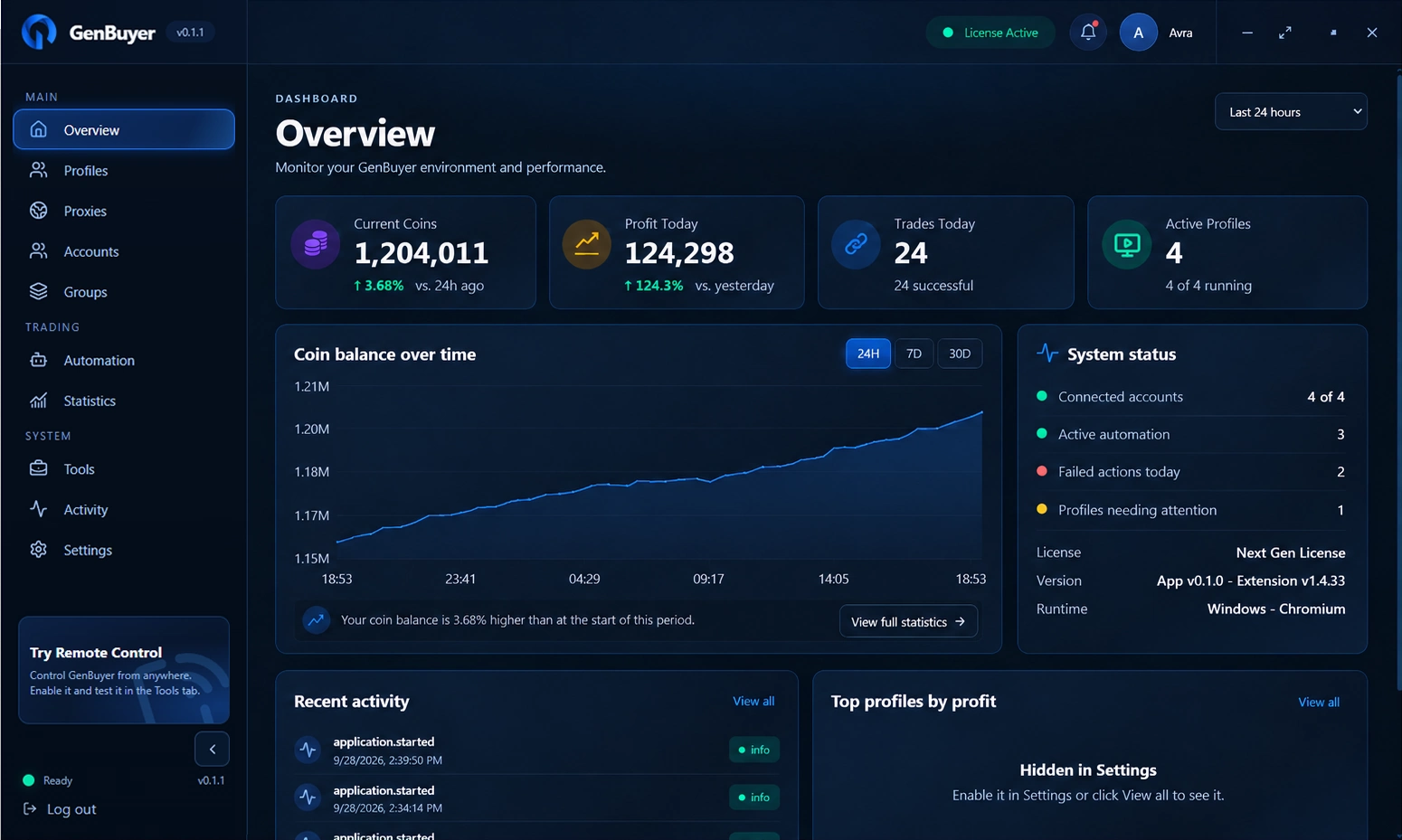
Dashboard & insights

See how your trading activity is developing in one place.

  • Review balances, trades and recent activity.
  • Follow profit and performance trends over time.
  • Use the dashboard to understand what is working in your setup.
GenBuyer / StatisticsView full size ↗GenBuyer Statistics screen showing trading activity and profit trends

06 / 11 MARKET TOOLS

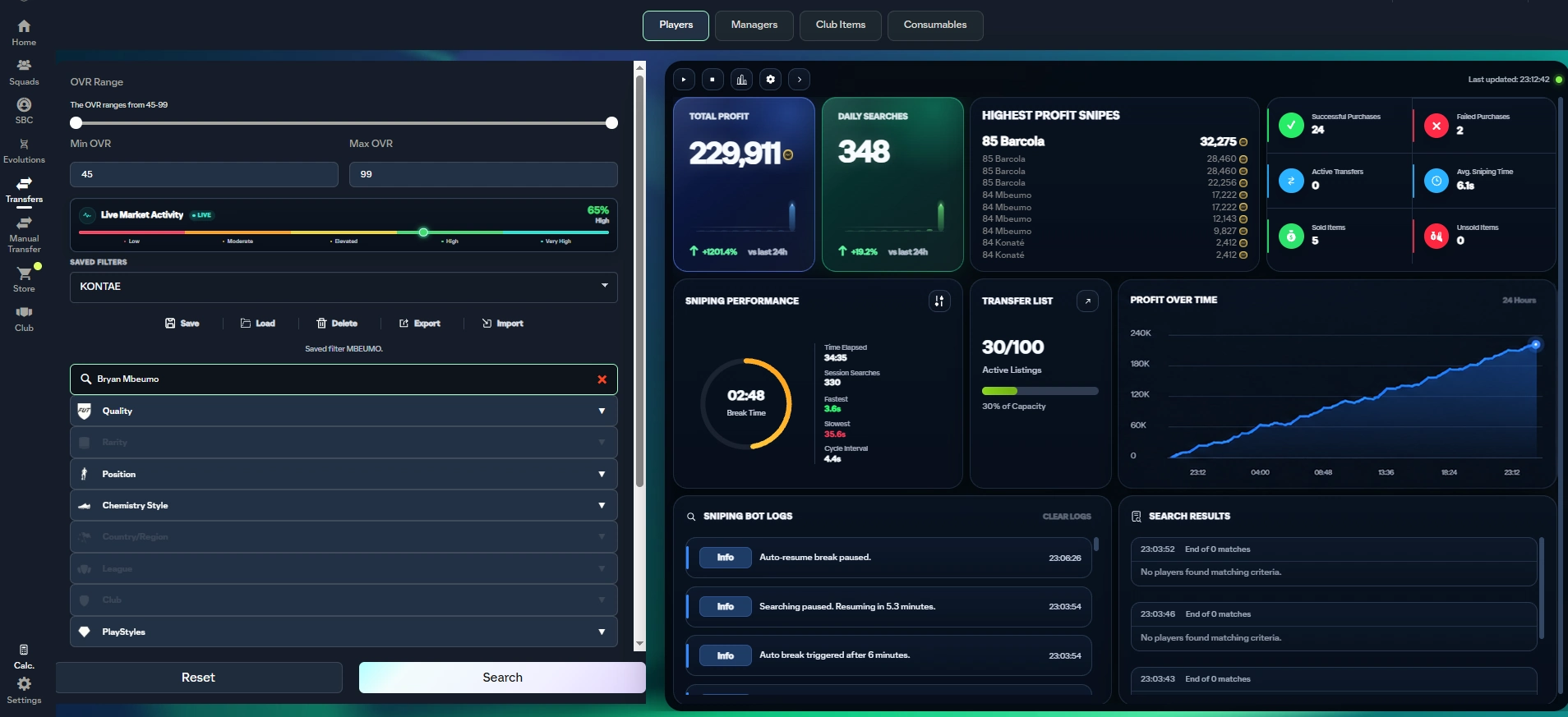
Automated buying

Turn your search rules into a repeatable market routine.

  • Save player and price filters for the items you want to follow.
  • Configure market checks around your buying criteria.
  • Keep search and purchase controls together in the AutoBuyer view.
GenBuyer / AutoBuyerView full size ↗GenBuyer AutoBuyer screen with player search and market controls

07 / 11 PRICE CONTROL

Dynamic pricing

Bring current market context into your listing decisions.

  • Review price information as you configure buying and selling.
  • Set pricing rules that fit your trading approach.
  • Keep your next price connected to the market you are watching.
GenBuyer / Trading controlsView full size ↗GenBuyer trading controls with buy and sell price settings

08 / 11 TRADE LIFECYCLE

Listing & transfer tracking

Follow what happens after you buy.

  • Track purchases through listing, transfer and sale.
  • Review sold and unsold items from your trading workspace.
  • Keep transfer activity and capacity in view.
GenBuyer / OverviewView full size ↗GenBuyer overview showing trading activity and transfer status

09 / 11 ACCOUNT ORGANIZATION

Multi-account management

Keep your accounts organized as your setup grows.

  • Manage account assignments within your profile workspace.
  • See session status and recent account activity.
  • Use groups to keep separate setups easy to find.
GenBuyer / Profiles & accountsView full size ↗GenBuyer Profiles view with account assignments and session status

10 / 11 PACK ROUTINES

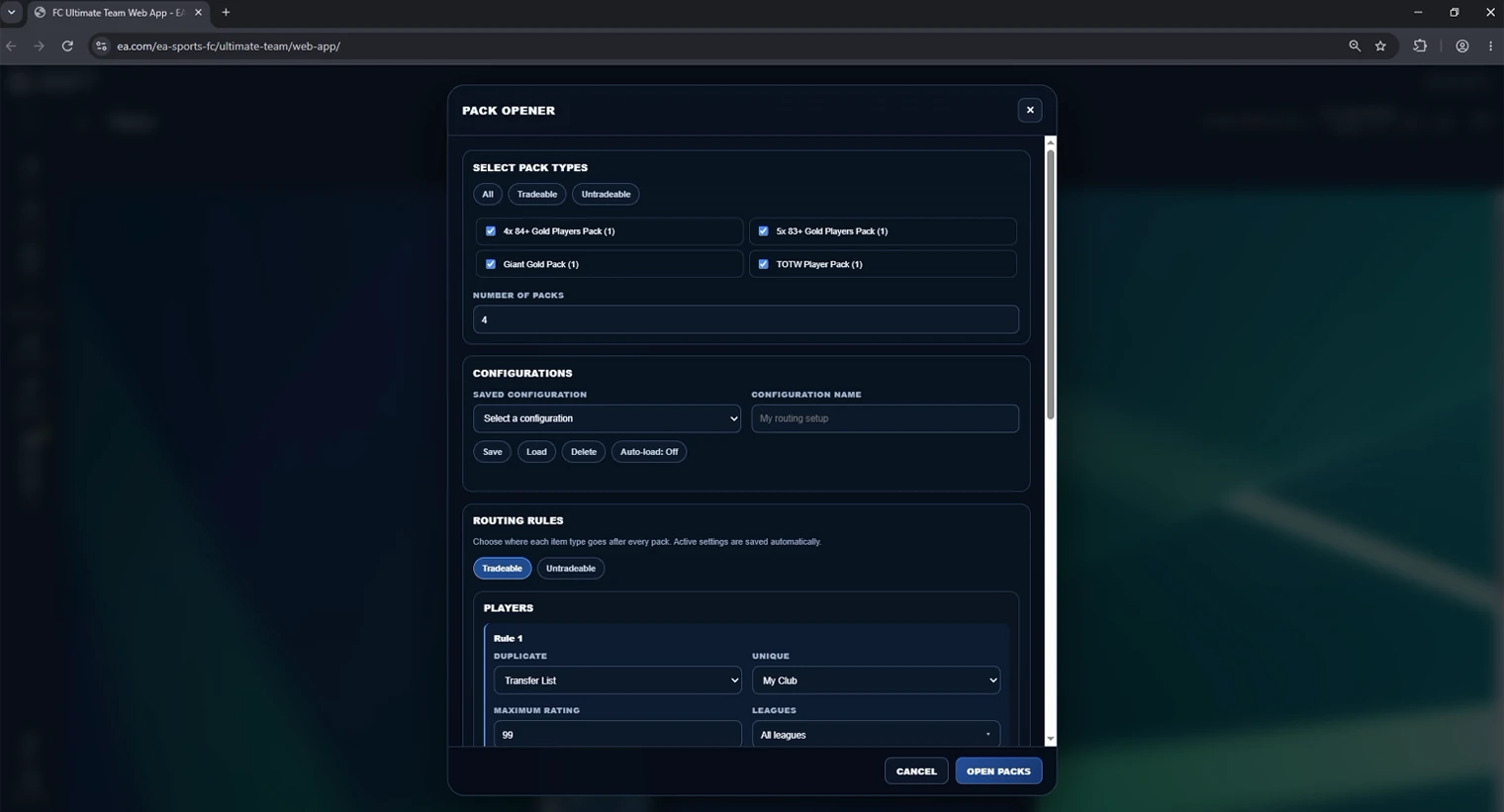
Pack Opener

Make pack handling part of a consistent routine.

  • Save routes for pack contents and tradeable items.
  • Choose the pack selection and handling rules you want to run.
  • Review batch activity from the Pack Opener screen.
GenBuyer / Pack OpenerView full size ↗GenBuyer Pack Opener showing pack selection and routing rules

11 / 11 EXTRA CONTROLS

Manual Transfer & SBC tracking

Keep supporting actions close to your trading flow.

  • Use manual transfer controls when you need a hands-on action.
  • Review purchase history alongside your other activity.
  • Track SBC usage from the same workspace.
GenBuyer / OverviewView full size ↗GenBuyer overview with activity and supporting trading tools

READY TO EXPLORE?

Build a setup that works for you.

See the available GenBuyer plans and choose the access that fits your trading routine.

Explore plans Features require an active GenBuyer license and an eligible FC Web App account. Market outcomes depend on your settings and conditions. Remote control requires setup.